 VijiTek
From source
Install Rust and your platform’s build tools, then run: cargo run --locked --release
Needs a desktop session with OpenGL Developer toolkit by VijiTek
VijiDeck shows what your computer is doing and keeps your development environment in order: system load, ports and processes, Docker, disk cleanup, services, logs and environment variables. A native Rust app, with no browser UI and no background server.
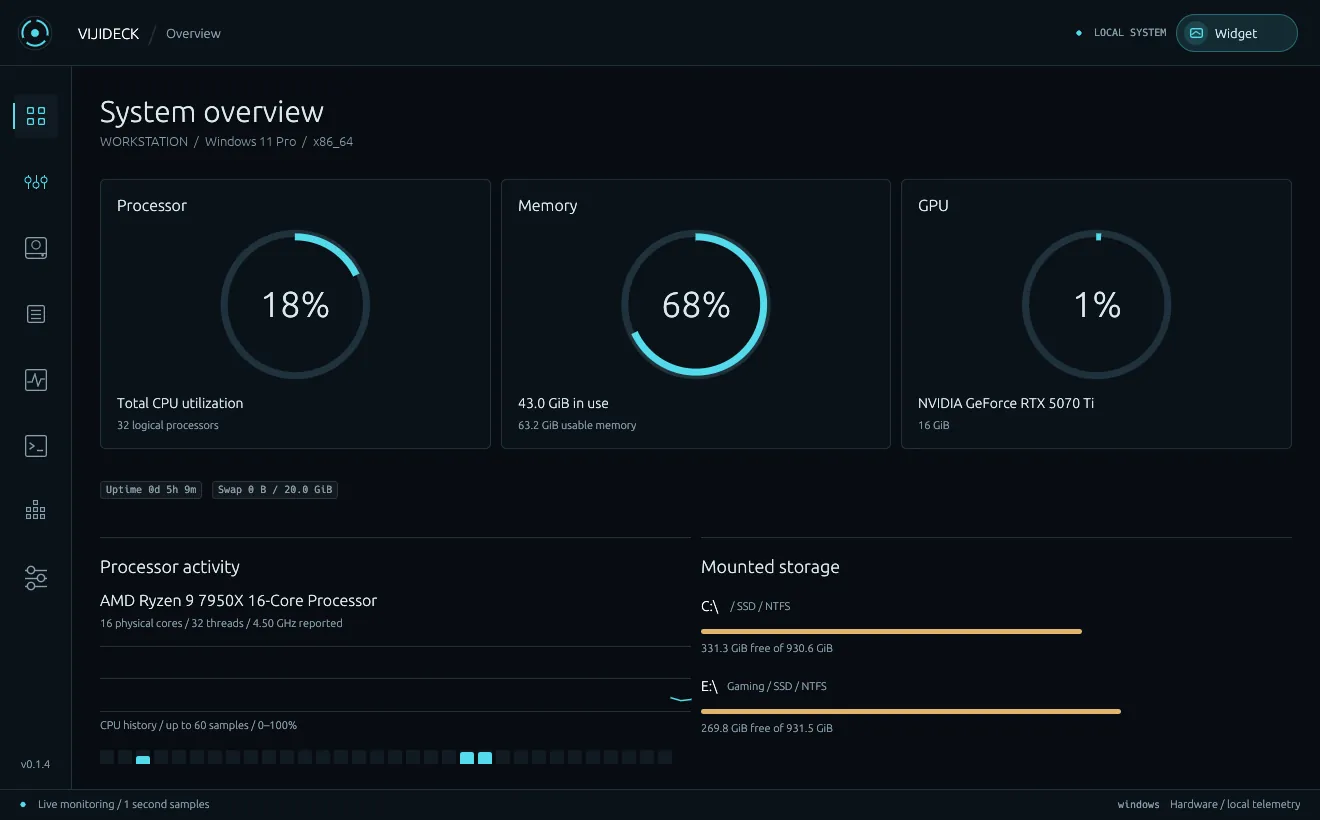
Each one is a click away in the tool rail, and none of them needs a terminal.
CPU, memory, GPU, storage and network at a glance, plus a floating always-on-top widget. Windows adds a tray menu and hardware inventory.
Search TCP and UDP sockets, see which process owns each one, and stop it after confirming.
Containers, Compose projects, images and volumes. Start, stop or remove containers, follow logs, open a shell.
Find node_modules, Cargo target, .next, Python caches and other build output, then review before deleting.
See installed languages and tools with their versions and paths, and manage PATH and environment variables.
Windows services, systemd units and launchd jobs, plus Windows event logs, Linux journals and macOS unified logs.
Screens from VijiDeck on Windows.
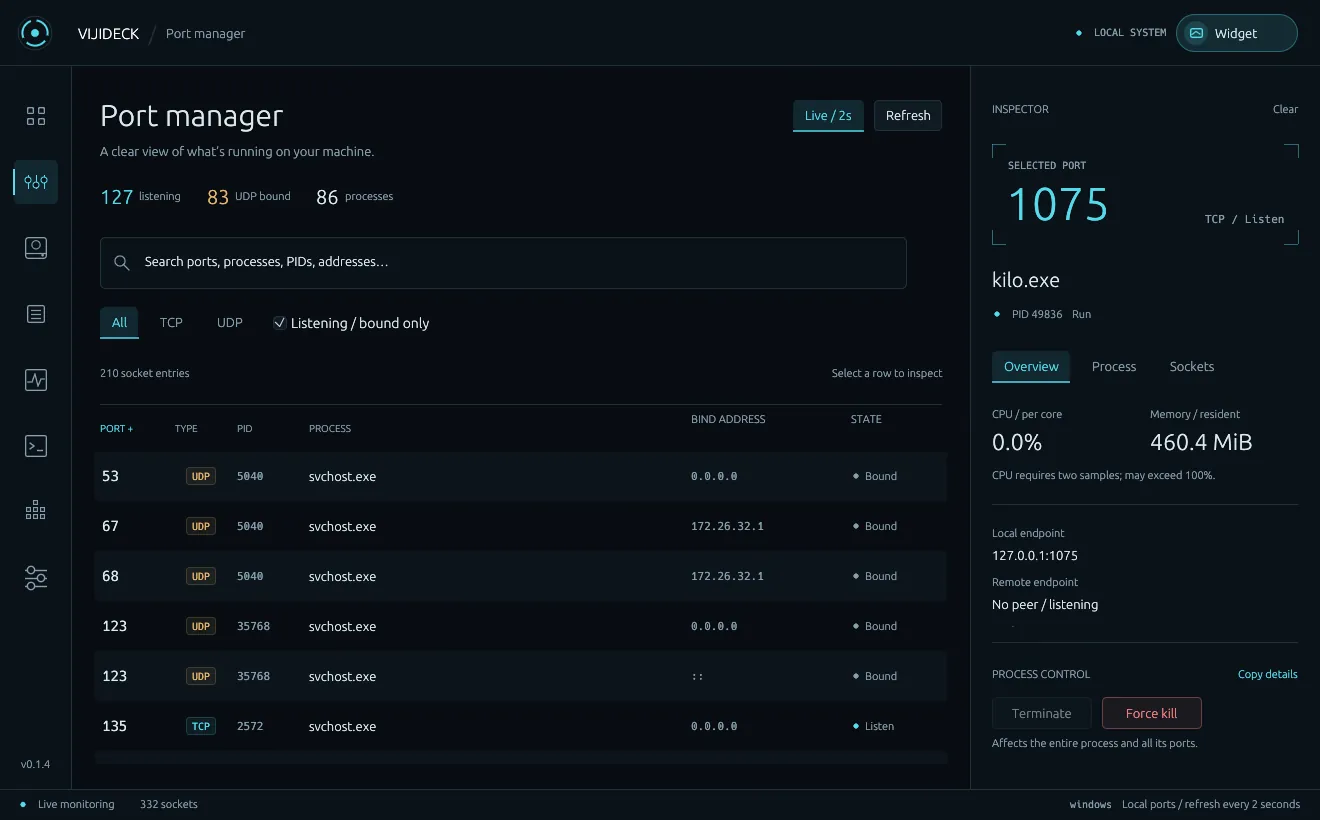
Every listening and bound socket with its process, PID and address. Select one for CPU, memory and endpoints, and stop the process if you need to.
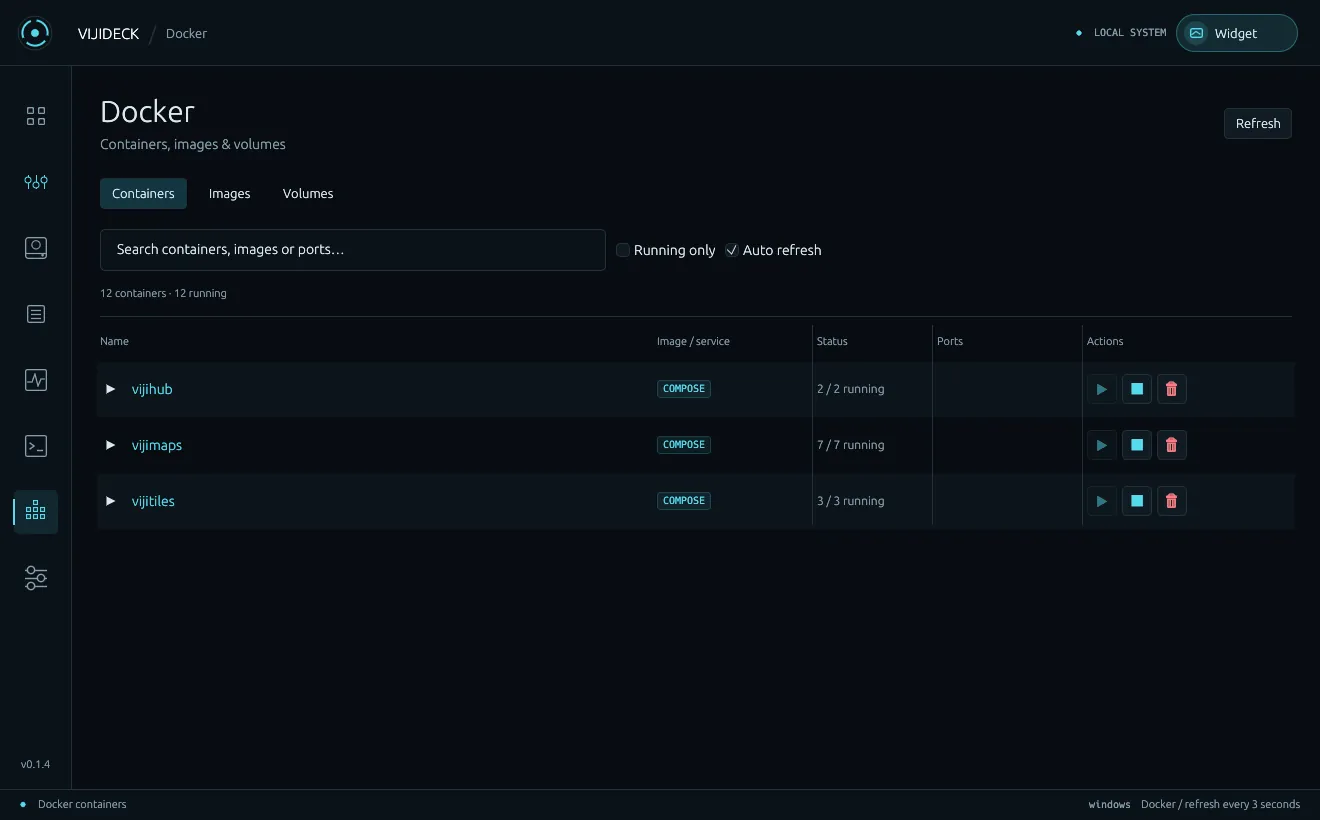
Compose projects group their containers. Start, stop and remove them, follow logs, or open a shell in your terminal. Works with remote Docker contexts too.
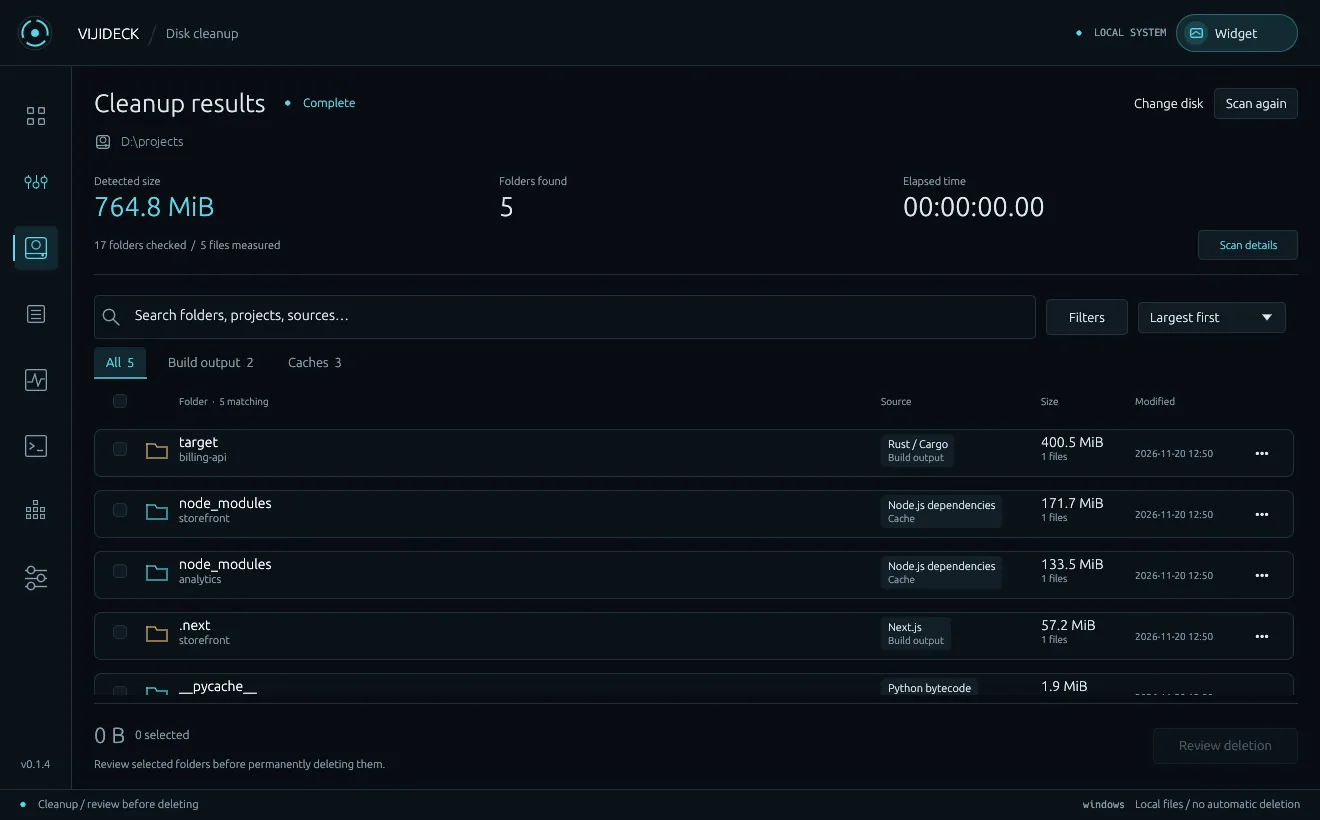
Scan a disk for dependency folders, caches and build output, sorted by size. Nothing is deleted until you select folders and review them.
VijiDeck can stop processes, remove containers and delete folders, so it asks before every one of those and double-checks what it is about to do.
Stopping a process, removing a container or deleting folders always goes through a confirmation.
Before deleting, VijiDeck rescans the selection and refuses anything that changed since the scan. It never deletes on its own.
VijiDeck never raises its own permissions, installs no system service and does not start at login.
Preferences and caches live in a local SQLite file. Hardware and system data are never sent anywhere.
Installers are on the way. Until then, VijiDeck builds from source with one Cargo command.
Install Rust and your platform’s build tools, then run: cargo run --locked --release
Needs a desktop session with OpenGLInstaller and portable ZIP for Windows x64, with tray and GPU monitoring.
Disk images for Intel and Apple Silicon Macs.
Debian package and portable tarball for x64 desktops.
VijiDeck is source available: free for personal use and for internal use inside companies, including commercial work. Selling it, hosting it as a service or bundling it into a product needs permission. Read the licence
Ports, Docker, cleanup and system load in one native window, with no browser and no server.