 VijiTek
Windows
Windows 10 and 11, 64-bit
Download installer .exe installer, for you or all users Remote desktop by VijiTek
VijiView connects you straight to your other computers over a direct, encrypted link. Share an ID, get approval, and take control in seconds.
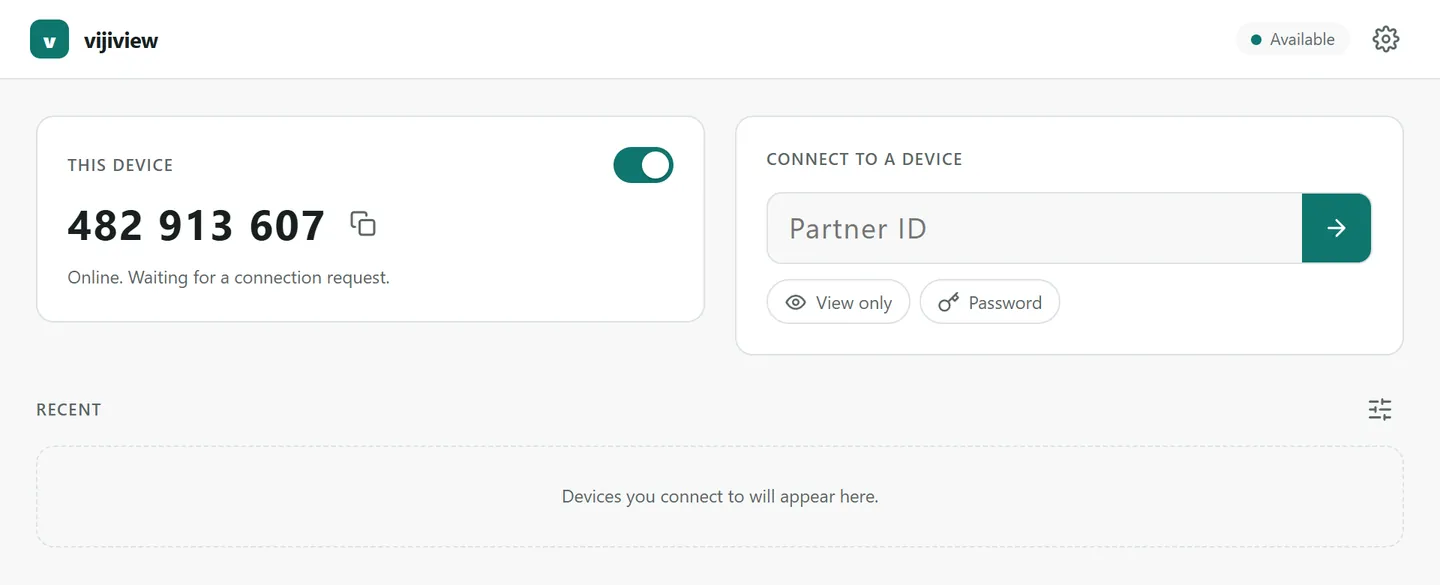
Built in Rust for speed, with a clean interface that stays out of your way.
Video and input travel straight between your devices over WebRTC. Our servers only introduce them to each other.
Every request asks the person at the computer. They can decline, allow viewing only, or allow full control.
Reach your own machines when nobody is there, protected by an unattended password and trusted devices.
Efficient H.264 streaming with adjustable quality keeps the picture sharp and responsive.
Switch between the host’s screens during a session without reconnecting.
Connect with a device ID alone. Sign in only if you want to; passwords and tokens are never written to disk.
The computer you want to reach becomes available automatically and shows its ID.
On your computer, type the other device’s ID and request a session.
Once the other side allows it, you see their screen and can use the mouse and keyboard.
Remote access is a matter of trust. VijiView keeps the person at the computer in charge from the first request to the last second.
Sessions use WebRTC encryption between the two devices.
Nothing on the host screen is captured until the request is accepted.
End session disconnects the viewer at once. Stop hosting takes the computer offline.
Access policy and password-derived secrets stay in signed app data on the device.
When a request comes in, choose whether to decline it, allow viewing, or allow control.
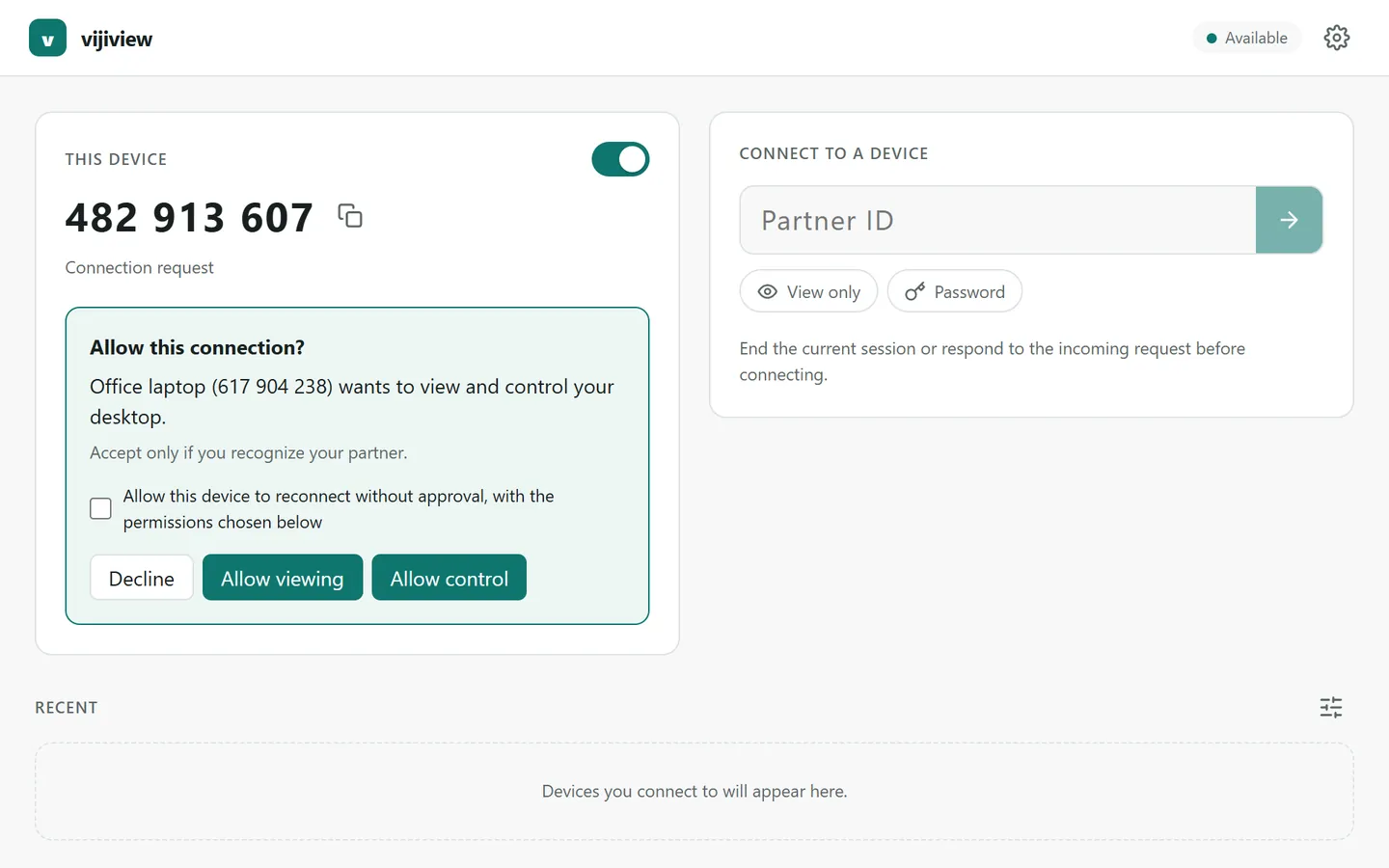
Always the latest release, straight from our build pipeline.
Windows 10 and 11, 64-bit
Download installer .exe installer, for you or all usersx86-64 distributions, X11 and Wayland
Download AppImage Make it executable, then run itView, control and share from your phone
Arriving after device testingInstall VijiView on every computer you want to connect. Need help installing or connecting? Email support@vijitek.com.
Help a friend, reach your office machine, or check on a server at home. VijiView makes it a few clicks away.