 VijiTek
Android Coming soon
On Google Play, for Android phones.
Main test platform Authenticator by VijiTek
VijiKey generates sign-in codes entirely on your device. There is no account, no server and no sync, and the app has no permission to use the internet, so your secrets cannot leave the phone.
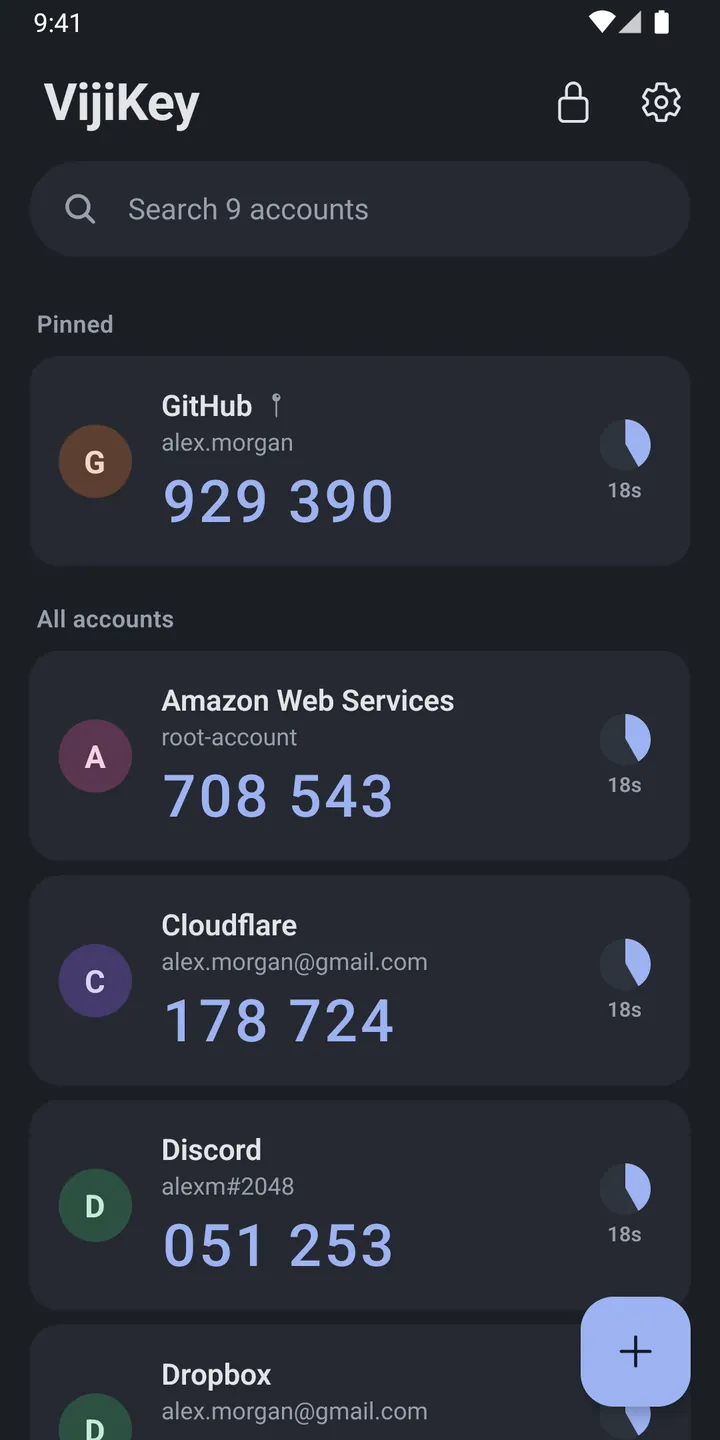
Open the app, find the account, copy the code, and get back to signing in. Usually in a few seconds.
Tap a code to copy it. The clipboard clears itself after a short time, so codes do not linger.
Find any account as you type, and pin the ones you use most to the top of the list.
Scan a QR code, pick a screenshot of one, open an otpauth:// link or type the setup key by hand.
Move every account over in one go from a Google Authenticator export QR code.
Standard TOTP and HOTP codes: SHA-1, SHA-256 or SHA-512, 6 to 8 digits, any period from 10 to 300 seconds.
Export everything to one file encrypted with a passphrase you choose, and restore it on a new phone.
Screens from the Android app. iOS shares the same design.
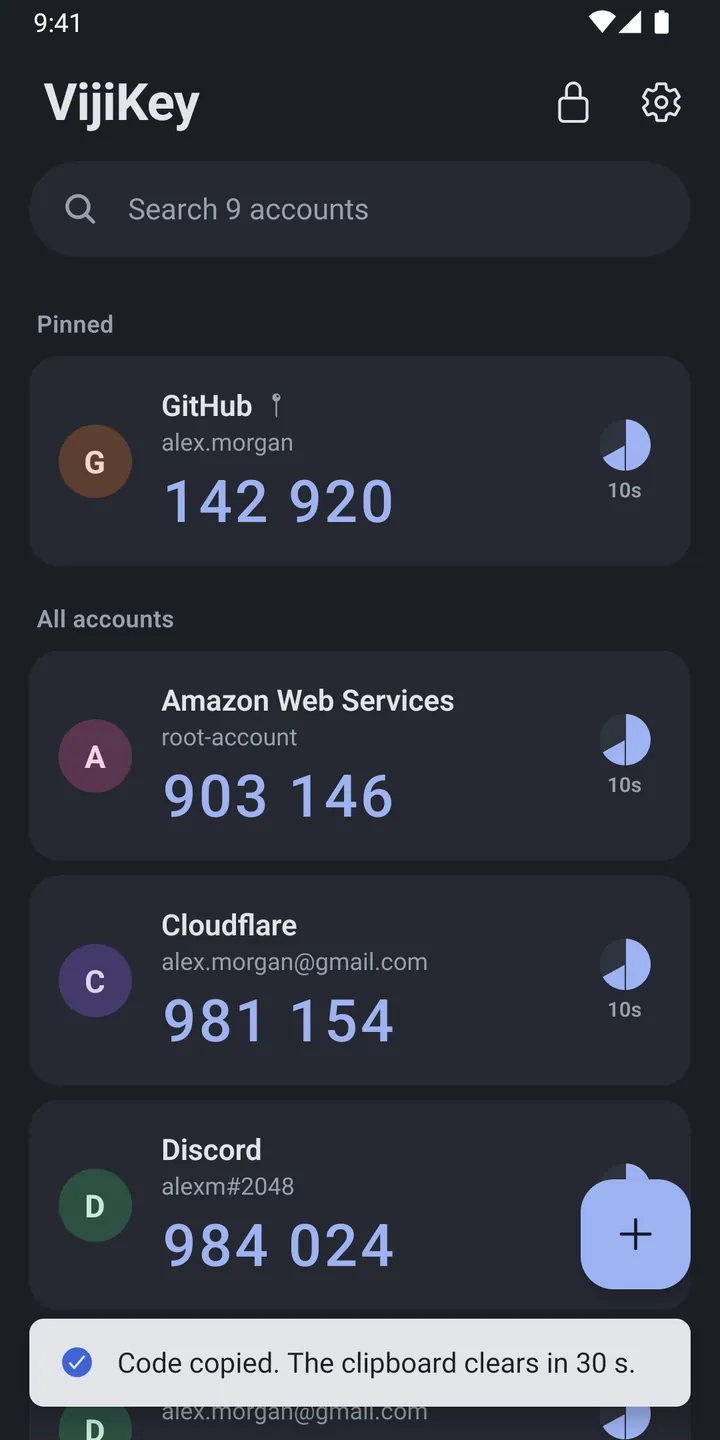
A tap copies the code. VijiKey tells you when the clipboard will be wiped.
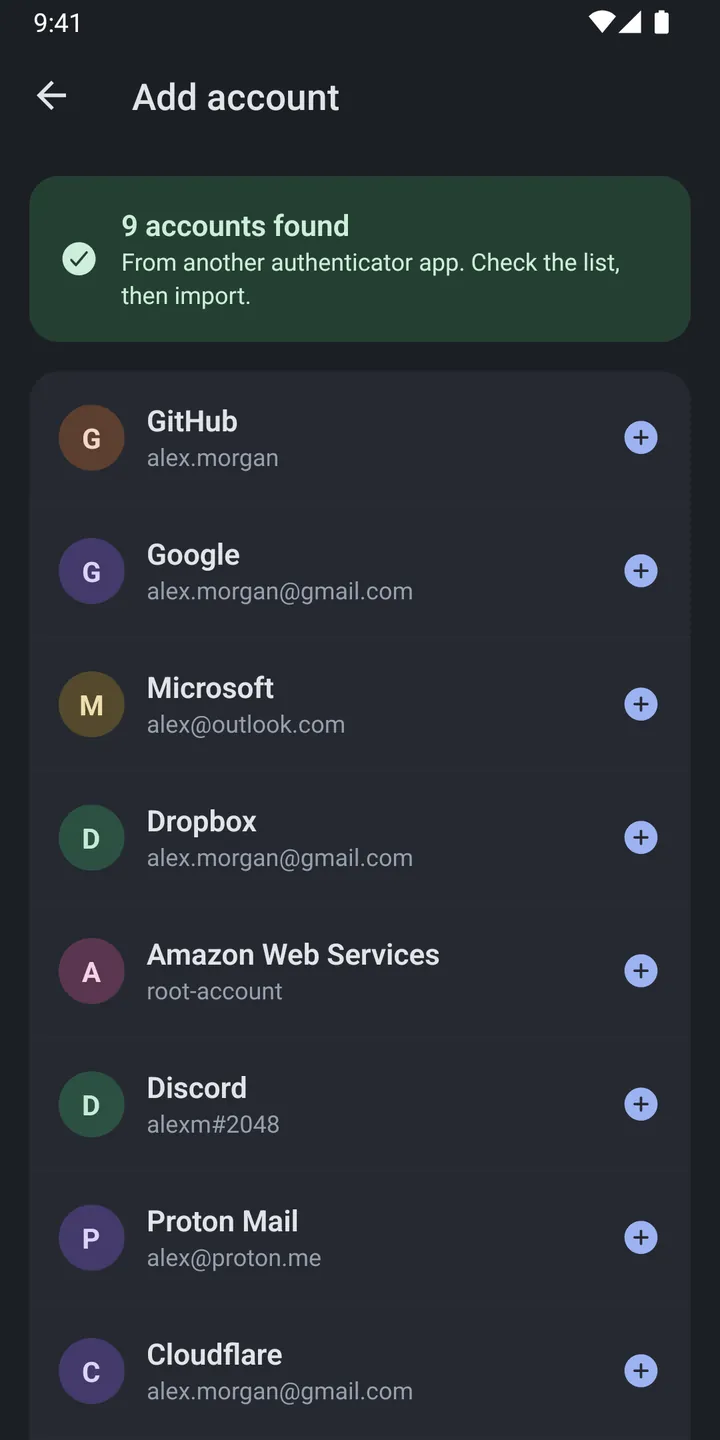
Accounts from another authenticator are listed first, so you choose exactly what to add.
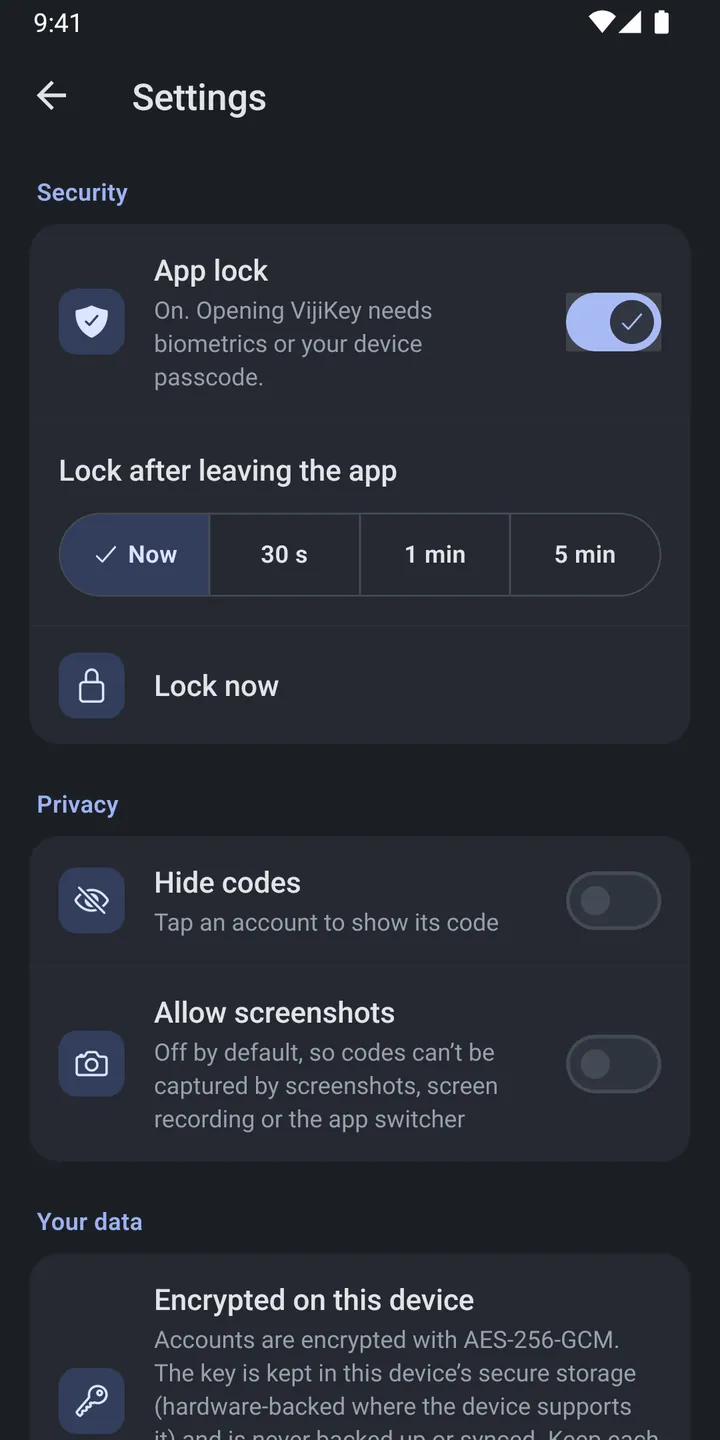
App lock, auto-lock timing, hidden codes and screenshot blocking sit in one clear place.
An authenticator is only as trustworthy as where it keeps your secrets. VijiKey keeps them on the phone, encrypted, and nowhere else.
The app cannot reach the network at all. There is no account, server or cloud sync.
Secrets are stored with AES-256-GCM. The key lives in the Android Keystore or iOS Keychain.
Unlock with fingerprint, face or device passcode, and lock again as soon as you leave the app.
Screenshots and screen recording are blocked, and the app switcher preview is hidden.
VijiKey is being prepared for Google Play and the App Store. It will be free to download.
On Google Play, for Android phones.
Main test platformApp Store, with the same design and protections as Android.
Follows the Android releaseVijiKey never backs up your accounts by itself. Keep your services’ recovery codes safe, and make a backup file after adding accounts. Questions? Email support@vijitek.com.
VijiKey keeps two-factor codes where they belong: on your phone, encrypted and offline.